Websites for locksmiths

A locksmith website built for the call that can't wait.

Put your phone number beside the charges for a lockout, with a name and photograph behind the business. Planned rekeys and commercial door work have a separate request form.

Ten to thirty minutes to answer our questions. A preview in 48 hours once we have your answers and payment.

$40 a monthFive edit requests a month included.

More about your website

Put the lockout call button where someone outside a locked door can find it. Property managers can read about rekeys and commercial hardware before sending the door count and preferred date.

From the collection01 / Keyway
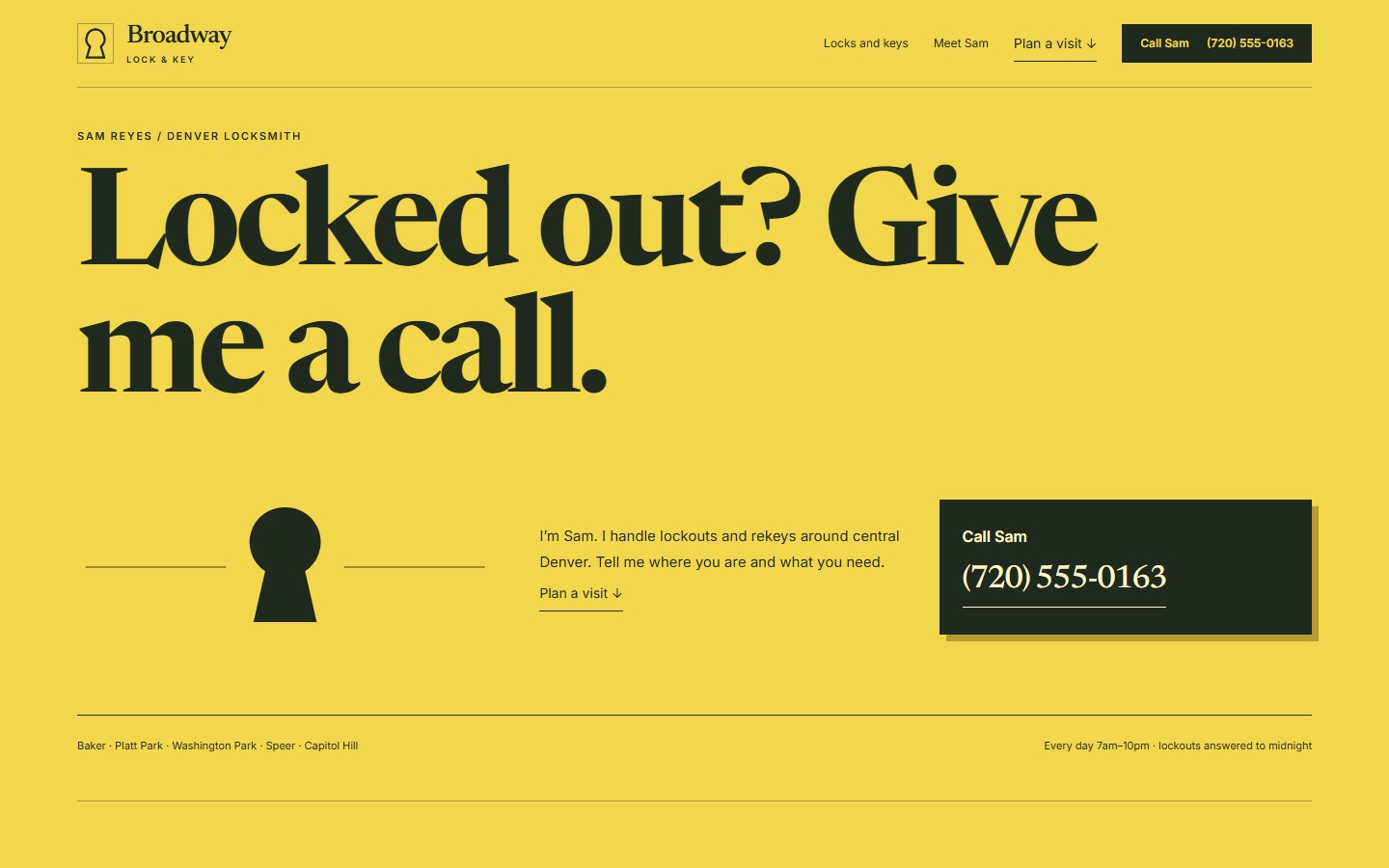
Keyway: the Broadway Lock & Key sample site in this designStep inside Keyway

Broadway Lock & Key is a fictional sample business.

Explore the designs.

Each design shows the same sample locksmith business. Open one to explore the full site.

02 / Your businessBuilt from your answers

This is how we build your site

Your questionnaire gives us most of the site’s text, along with your services, photos and business details. We design and build the site on your own domain.

01From you

Your business,
in your own words.

  • Your servicesThe work you take on
  • Your photosThe work customers can see
  • Your business detailsWhat customers need to know
02We design & buildOn your own domain
The Keyway sample site, built from a locksmith business’s details
Sample website · Broadway Lock & KeyExplore the sample ↗
03

Your review before launch

You check the preview and your business details in your Console, then ask us to launch.

Get started ›
03 / Included with your websiteOpen the sample Console ↗

Keep track of your jobs.

Your Console keeps customer messages and job details together. Try Broadway’s sample below.

Broadway Lock & Key Sample ConsoleThe Broadway Lock & Key sample Console, on the BoardExplore the sample Console
1The calls and jobs ahead

Keep the address and job details beside each customer on the Board. A rekey and a car-key visit need different information before you leave.

2Check the door or vehicle

Read the request and look at the photos in the Inbox. Ask for the vehicle year or a clearer view of the hardware before you quote.

3Visits you’ve agreed to

Keep scheduled rekeys and property visits in the Calendar. Confirm an arrival time with the customer when you know you can make it.

4Your documents

Write a quote, estimate, work order, change order, invoice, receipt or warranty in Documents. Your customer opens it as a link in your business’s colors, and signs with a tap where it needs agreement. Included with the website.

5Following up on a quote

The included Quote Follow-Up tool drafts a message for an unanswered quote you’ve recorded. You review it before sending it from your phone.

6Work and payments, by customer

Quotes, invoices and payments, organized by customer. See what’s owed and which payments are late. Add cash payments and job costs, then compare collected payments with recorded costs.

We build your website with the Console and workflow tools included. We’ll help you set up the tools that fit your work.

Get started ›

04 / The planWebsite, Console and workflow tools

Your website plan

$40/mo

Your website, Console and workflow tools. Most of your site’s text comes from your questionnaire answers; we design the site and add headings and directions for customers. Hosting and upkeep are included.

48 hrs

Your first preview after your questionnaire and payment. Use your Console’s launch checklist to check the site and business details, finish any required setup, and ask us to launch.

Cancel anytime

No exit fee. Your site stays up through the period you’ve paid for.

Or $400/year. Save $80 on twelve monthly payments.

See all pricing →Get started ›

Your domain is registered in your name and billed at cost: about $11.17 a year for a .com.

Your mobile plan and optional voice line

Texts use your carrier plan, with no per-message fee from Plainsmith.

Your website plan includes the optional Front Desk, with no setup charge. It is an automated answering service for calls you choose to forward when you can’t pick up. It takes a message and prepares your text reply. Follow the setup steps in your Console to open the voice account. We help connect the answering line and check forwarding on your number during setup. Its Twilio voice line costs about $1.15 a month plus about a cent a minute, billed by Twilio to an account in your name. Twilio is the phone company that carries that line. See provider costs.

Cancellation and refunds

Cancel from your Console. Your website comes down and workflows stop at the end of the month or year you paid for.

We return your website payment in full if you ask within 14 days of receiving your first preview. That includes the whole $400 on an annual plan. You can review that site and request changes before launch. Changes before launch are free and don’t use your five monthly edit requests. Domain registration is nonrefundable, and the domain stays yours.

After paid service ends, your Console is free and read-only, with records to view and download under our records policy.

Buying the website to host elsewhere

Your domain, words, photos and logo belong to you from the start. The website’s design and code cost $499 less your plan credit to buy.

Monthly: this month’s $40 comes off. Annual: we credit $33.33 for each unfinished month, including the month you’re in. Your Console shows the exact price.

Your website files download from your Console as soon as the buyout goes through. We keep hosting the site for at least 30 days after the buyout, so you can move it without a gap; after that, hosting, updates and your domain’s renewals are yours. The workflow tools run through the current month of your plan, even if you paid for a year. The exact end date is in your Console. Read the ownership terms.

05 / A closer lookExamples you can try

See how it works.

Explore the details behind the site, from a rekey request to a change after launch.

01What happens when a rekey request comes in mid-job

What happens when a rekey request comes in mid-job

A customer asks for a rekey quote while you’re finishing a lockout. Their request waits in your Inbox with its address and photos, and you answer when you can stop.

Photo Quote Request

A door or hardware photograph helps you prepare for a visit. You review the uploaded photos and prepare an estimated price in the Console.

Explore the tool ›
Appointment Reminders

The agreed arrival window goes into a reminder for the visit.

Explore the tool ›
Quote Follow-Up

The tool drafts a follow-up to a rekey or hardware quote nobody has answered. If the customer replies to your phone, add their answer in the Console.

Explore the tool ›

Get started ›

02Send us the change.

Send us the change.

After your site goes live

Send the hours, photo or wording you want changed. We make the edit.

5Edit requests included each month

Most go up the same day.

Put your changes in one message. Everything in that message counts as one request.

Choose an example
PlainsmithExample exchange

Messages about your website

Edit request
Your request

Can you change Saturdays to appointment only? I’m keeping weekdays the same.

Plainsmith makes the edit
Plainsmith✓ Done

Saturday now shows “By appointment” in your contact section. The weekday hours are unchanged.

Your request and our reply stay together in your Console.

Sample conversation. These examples don’t send a request or change a website.

Edit allowances and how to reach us

Send website changes from your Console or email edits@plainsmith.co. We read each request in the order it arrives. After your included requests, you can wait until next month or pay $10 for another.

Get started ›

Fair questions

Can the site cover emergencies and planned work?
Yes. Give lockouts a clear call button. A separate form asks about the doors for a rekey or installation, with room for hardware photos and a preferred date.
Do I have to publish a fixed lockout price?
No. We can show your service fee and explain what it includes, or state what you need to know before quoting. The wording follows how you charge.
What if I only cover certain cars?
We can state that coverage on your page. The form collects the vehicle’s details and asks about any keys the customer still has, so you can decide whether to accept the job before arranging a visit.
Which photographs should I send?
Send a photograph of yourself with your marked van, along with examples of installed hardware. Check public photos for readable keys or access codes, and remove customer addresses.
Can search engines and AI tools find my business?
We describe your services and location on the page and in the information search engines read. We can’t promise a ranking, recommendation or number of inquiries.
Is Plainsmith right for a locksmith with 1–3 vans?
Yes, if you still work on the jobs and take the calls yourself. We handle the website, and the included workflow tools help you prepare follow-ups and reminders. The plan does not include dedicated dispatch or payroll software, or connections to your accounting system.

Ten to thirty minutes of questions. Then we build.

Tell us which locks and vehicles you work on and how you charge. Your service area goes beside the contact details. We read your answers and build the site from them. Complete the launch checklist in your Console when you’re ready for us to publish.

Most of your site’s writing comes from your answers. We design the pages and add any explanation a customer needs to understand your services. You approve the site before launch.